 John Uebersax
How to Find Special Programs and Regular Episodes When They Are Categorized Separately
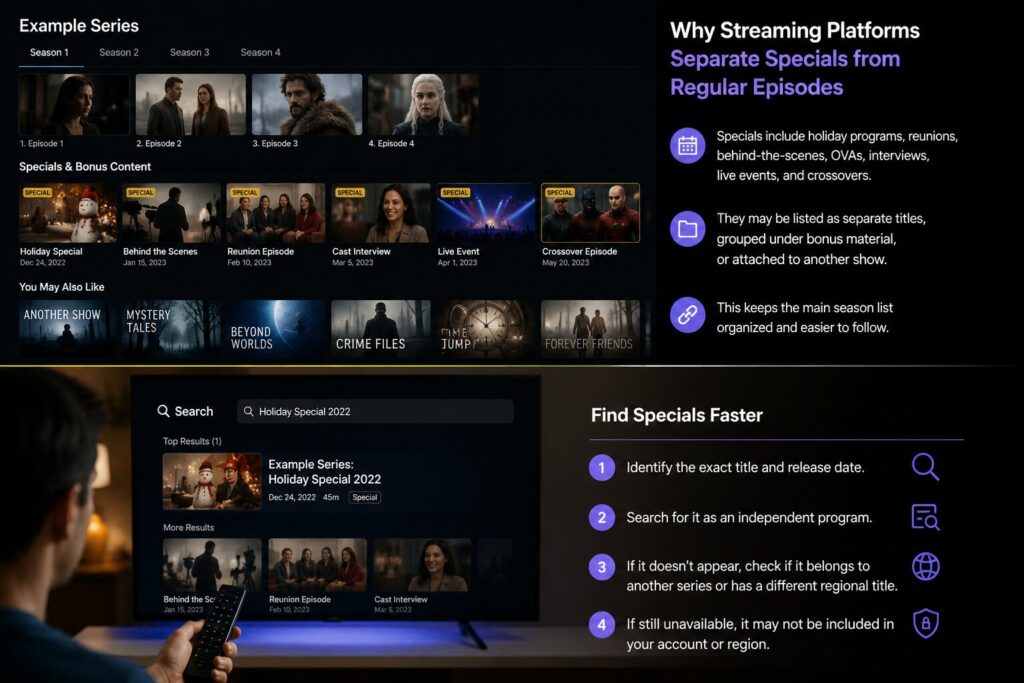
A special episode may be connected to a series without appearing in its normal season list. Holiday programs, reunion episodes, behind-the-scenes features, OVAs, cast interviews, live events, and crossover episodes may be published as separate titles, grouped under bonus material, or attached to another participating show.
The fastest solution is not to scroll repeatedly through every season. First identify the special’s exact title and release date. Then search for it as an independent program. If it still does not appear, check whether it belongs to another series, has a different regional title, or is unavailable under your current account and location.
Searching for the Program as a Separate Title
Begin with the platform’s main search function rather than the episode selector on the series page. Enter the exact title of the special when possible. Major services generally allow users to search for specific programs, and Hulu’s help documentation specifically recommends using Search to find shows, movies, live events, and other programming. Netflix also supports searches using titles, actors, genres, categories, and related terms.
When the exact title is unknown, combine the series name with a descriptive term. Useful searches include the program name followed by “special,” “reunion,” “Christmas,” “anniversary,” “behind the scenes,” “interview,” “OVA,” or the name of a featured character or guest.
Do not assume that the special must appear inside the main series record. A platform may treat it as a movie, documentary, live event, short-form video, or independent program. This is particularly likely when the content has its own poster, release date, age rating, or running time.
Check the full series page after completing a direct search, but treat labels cautiously. Depending on the platform, title, device, or country, additional material may appear below the season list, beside the episode selector, or in an area labeled Extras, Bonus, Trailers, Clips, Related Content, or something similar. These labels are not universal, and interface sections can change between devices and app versions. Netflix, for example, states that the availability and names of browsing sections may vary by device.
If you previously watched the program, also check your viewing history, saved list, or continue-watching area. These sections may preserve a direct route to an item that is difficult to locate through the series page. Hulu provides watch-history and My Stuff features, while Netflix allows viewers to save titles in My List.
The Special’s Position in the Viewing Order
Finding the program is only part of the problem. You may also need to determine whether it should be watched before, during, or after a regular season.
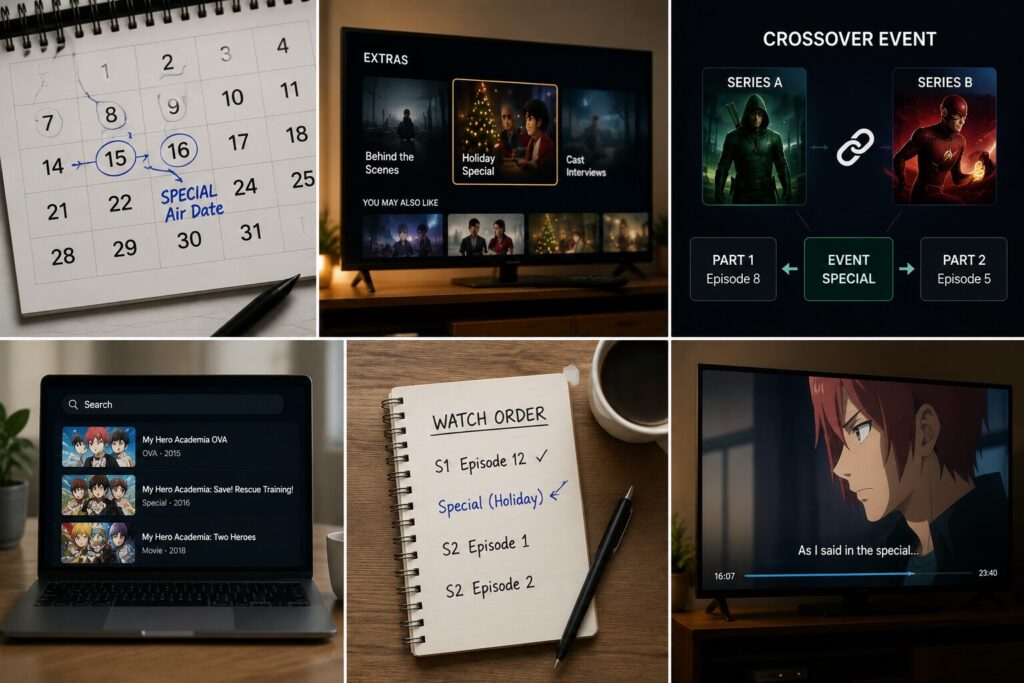
Start with the original air date or release date. Compare it with the dates of nearby regular episodes. A special broadcast between two seasons will usually make more sense in that position, even when the platform lists it separately.
Next, check whether the program advances the main story. Interviews, recaps, production documentaries, and cast features normally do not affect continuity. A holiday episode or crossover, however, may include plot developments that are referenced later.
Crossover events require additional attention because each installment may belong to a different series. The episode shown under one program may be only one part of a larger event. Search the event title together with terms such as “episode order” or “parts,” and compare the original broadcast dates. When available, prioritize an official network schedule, broadcaster episode guide, production-company page, or distributor listing.
Anime and imported television programs may have additional naming differences. A program described by viewers as an OVA, special, short, recap, or bonus episode may be listed under a translated title that does not match the main series name. Search the original-language title, English title, character names, and production title separately.
External episode databases and fan-maintained guides can help identify missing titles, alternative names, and release order. However, use them as discovery tools rather than final proof of availability. A fan guide may confirm that a special exists, but only the streaming service or rights holder can confirm whether it is currently licensed in your region.
A simple viewing decision can be made from three questions:
| Check | What it tells you |
|---|---|
| Does the special have its own title page? | It is probably treated as a separate program rather than a numbered episode. |
| Did it air between regular episodes or seasons? | Use its release date to place it in viewing order. |
| Does a later episode refer to its events? | Watch it before continuing, even if the platform categorizes it separately. |
If the content is only an interview, preview, recap, or behind-the-scenes feature, you can usually watch it at any time. If it contains new story material, confirm its place in the chronology before moving to the next regular episode.
Determine Whether the Program Is Hidden or Actually Unavailable
A failed search can have several causes, so do not immediately conclude that the platform has deleted the program.
First, check the spelling, translated title, and original title. A special may have a subtitle that differs from the name used in promotional material. Searching only the main series name may therefore miss it.
Next, inspect the profile being used. Netflix notes that titles may not appear when they exceed the profile’s maturity level or have been blocked for that profile. Language settings can also affect which titles are shown because some catalogs display only content with audio or subtitles suitable for the selected profile language.
Regional rights are another major factor. Streaming services license content by territory, and a special may be available in one country even when the main series is available more widely. Netflix confirms that a missing title may not yet have been released in the viewer’s country or that the required regional rights may be unavailable.
The program may also have left the service because its licensing period ended or its distribution rights moved to another platform. Some platforms display an expiration notice before removal, but once the title is gone, an old search result, watch-history entry, or external listing may no longer open. Netflix states that eligible titles approaching removal may display a “Last day to watch” message on the details page or when playback begins. Rather than assuming the program is unavailable everywhere when an old listing stops working, viewers can use 주소온길 to review the latest program information and current access route before confirming availability on the provider’s official page.
If the special was originally broadcast on television, check the broadcaster’s own catch-up service or official website. Live events and one-off programs may be stored under event pages, network pages, or independent program records rather than the associated series. Search using the exact broadcast date, event name, or participating performers.
When the content remains missing, contact the platform with specific information rather than asking generally where the specials are. Include the exact title, series name, original air date, country, device, and the profile being used. Support can then determine whether the item is available under a different listing, restricted by account settings, or not licensed in your region.
The practical search order is therefore:
- Find the exact title and original release date.
- Search for the special as an independent title.
- Check the full series page and related-content areas.
- Search alternate, translated, or original-language titles.
- Confirm whether it belongs to another series or crossover event.
- Check profile, language, and regional restrictions.
- Verify current availability through the platform or official broadcaster.
This process separates two different problems: not knowing where a special is categorized and trying to find a program that is not currently available. Once you identify which problem applies, you can either locate the correct listing or stop searching the interface and verify the licensing status directly.